AWS Savings Plans: 73% utilization is break-even
Published · Updated · OhChimp Engineering
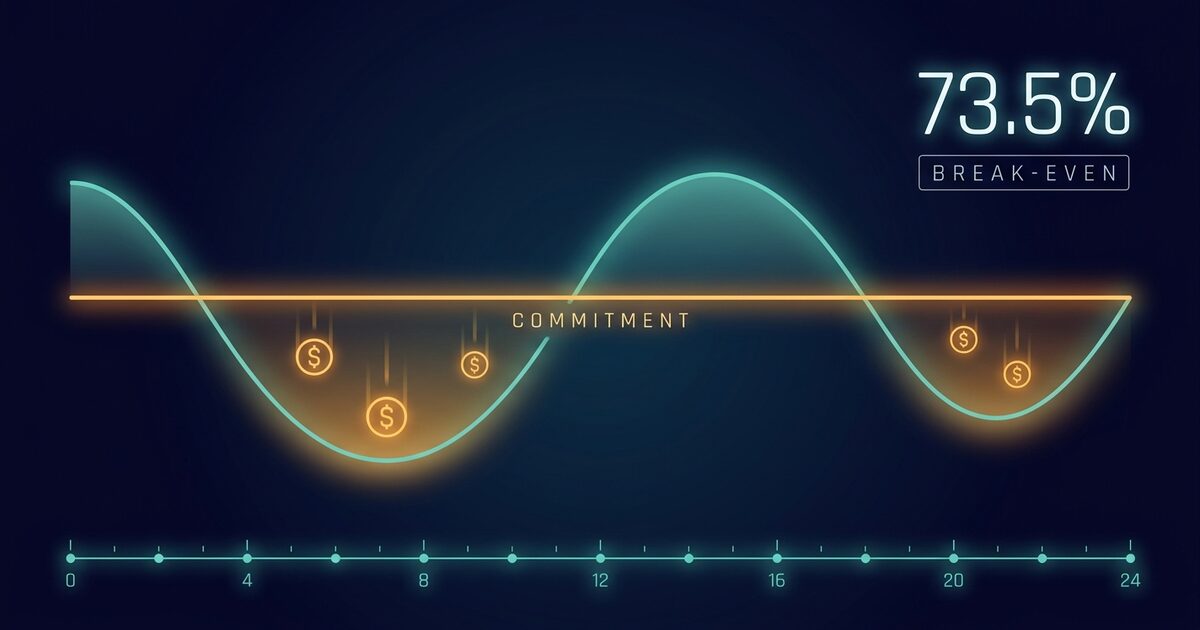
Your Savings Plans utilization reads 70% and nobody flags it. On a 1-year no-upfront Compute Savings Plan, 70% is losing money. Break-even on that plan is 73.5%, and every hour underneath it is commitment you have already paid for and can no longer spend.
Why a Savings Plan breaks even at 73.5% and not at zero
An m7i.xlarge running Linux on shared tenancy in us-east-1 lists at $0.2016 an hour on demand. The 1-year no-upfront Compute Savings Plan rate for that same instance is $0.14811 an hour. That is a 26.53% discount. Both figures come from the AWS pricing and Savings Plans APIs in August 2026, and the commands further down let you re-pull them for your own region and instance family.
A Savings Plan is priced in dollars per hour. Commit $10 an hour and AWS bills you $10 for all 8,760 hours of a one-year term (AWS defines the term as 365 days, or 31,536,000 seconds). Your usage draws down that $10 at Savings Plan rates. Whatever is left at the end of the hour evaporates. AWS says so in the Savings Plans user guide: each hour's commitment can only be used within that hour, and it cannot be carried over.
Call your discount d and your utilization u. You pay the full commitment C. The portion you consume, C × u, buys usage that would have cost C × u ÷ (1 - d) at on-demand rates. Set the two equal and the commitment cancels out. Break-even lands at u = 1 - d.
A Savings Plan's break-even utilization is one minus its discount rate. At a 26.53% discount, that is 73.47%.
Here is the same thing in dollars, on a $10 an hour commitment over a 730-hour month. You pay $7,300 regardless.
| Utilization | Commitment used | Commitment wasted | On-demand value bought | Versus paying on demand |
|---|---|---|---|---|
| 60% | $4,380 | $2,920 | $5,962 | $1,338 worse |
| 70% | $5,110 | $2,190 | $6,955 | $345 worse |
| 73.5% | $5,363 | $1,937 | $7,300 | break-even |
| 80% | $5,840 | $1,460 | $7,949 | $649 better |
| 90% | $6,570 | $730 | $8,943 | $1,643 better |
| 95% | $6,935 | $365 | $9,440 | $2,140 better |
| 100% | $7,300 | $0 | $9,936 | $2,636 better |
A plan sitting at 70% utilization is losing you $345 a month, and you are holding it for another eleven months, so roughly $4,100 on the year. And a plan at a healthy-looking 95% realizes a 22.7% discount, not the 26.5% on the rate card. The headline discount is the number you get at 100% and nowhere else.
Break-even moves with the plan you buy, so the 73.5% figure is not universal. Deeper commitments tolerate more slack, because the same formula applies to a bigger d. All four of these are real rates for that same m7i.xlarge.
| Plan | Term and payment | Rate | Discount | Break-even utilization |
|---|---|---|---|---|
| Compute Savings Plan | 1 year, no upfront | $0.14811 | 26.5% | 73.5% |
| EC2 Instance Savings Plan | 1 year, no upfront | $0.13336 | 33.8% | 66.2% |
| Compute Savings Plan | 3 year, all upfront | $0.09277 | 54.0% | 46.0% |
| EC2 Instance Savings Plan | 3 year, all upfront | $0.07959 | 60.5% | 39.5% |
The three-year all-upfront row is the scariest plan on the menu and the most forgiving of a bad estimate, because you can waste more than half of it and still come out ahead of on-demand. Paying three years of compute up front has a cash cost the break-even arithmetic does not price, so weigh that separately. The EC2 Instance rows buy you about seven more points of discount in exchange for locking the plan to one instance family in one region, which is a flexibility trade rather than a utilization one. AWS caps Compute Savings Plans at 66% off and EC2 Instance Savings Plans at 72%, and those ceilings sit at three years, all upfront, on the families with the deepest discounts.
Committed compute is also the part of your bill that finance reads as fixed cost, so a plan running under break-even lands on gross margin rather than a variable line you can trim next month.
The commitment is hourly and your usage is not flat
Most commitments get sized in a single step. Take last month's eligible compute spend, divide by 730, commit that. What you just committed to is your mean, and your mean sits above your usage for a large share of the hours in the month. Every one of those hours burns commitment you cannot get back.
A busy Tuesday afternoon that runs well over your commitment does not reclaim the commitment that a quiet Sunday morning left on the floor, because the hour is the accounting boundary. Any workload with a daily shape, a weekday shape, a batch window, or an autoscaling group that scales to a small floor overnight will land below its own average for a meaningful fraction of the term.
None of that shows up on a monthly total. Sum the month and the peaks and troughs cancel out, which is exactly why the mean looks like a safe commitment.
The fix is to anchor on the floor rather than the mean, and AWS hands you both numbers in the same API response. GetSavingsPlansPurchaseRecommendation returns CurrentMinimumHourlyOnDemandSpend, CurrentAverageHourlyOnDemandSpend, and CurrentMaximumHourlyOnDemandSpend over your lookback window. The gap between the minimum and the average is the shape of your waste.
All three are on-demand dollars, while your usage spends a commitment at Savings Plan rates. An hour that costs $10 on demand draws only $7.35 from a plan discounted 26.53%. AWS's worked example runs the same arithmetic: a $2.00 hourly commitment covers about 2.9 r5.4xlarge hours at a $0.70 Savings Plan rate, which is $2.86 of usage at the $1.00 on-demand rate. So the minimum converts to a commitment as minHr × (1 - d). Commit the minimum unconverted and your quietest hour consumes 73.47% of it, which is the break-even from the first table rather than the full use the floor was supposed to guarantee. On the three-year all-upfront Compute plan the same slip commits 2.17 times your floor, and the quietest hour runs at 46%. The divide-by-730 shortcut above carries it too, landing 36% over your mean rather than on it.
Most accounts cannot query their own hourly costs at all. Hourly granularity in Cost Explorer is opt-in, and the switch lives in the payer account. Ask for it without that opt-in and every Cost Explorer call refuses:
aws ce get-savings-plans-coverage \
  --time-period Start=2026-08-16,End=2026-08-23 \
  --granularity HOURLY

# An error occurred (AccessDeniedException) when calling the
# GetSavingsPlansCoverage operation: Hourly data granularity is an opt-in
# only feature. You can enable this feature from the PAYER account's Cost
# Explorer Settings page.
The recommendation API returns the hourly minimum, average, and maximum regardless, so you can read your usage floor from a member account that cannot see a single hourly data point.
Application order decides where your commitment actually goes. Reserved Instances apply first, then EC2 Instance Savings Plans, then Compute Savings Plans, because the broader plan is applied last. Within that, AWS spends your commitment on the usage with the highest savings percentage first, breaking ties on the lowest Savings Plan rate. So a Compute plan you sized for a specific set of EC2 instances can end up spent on Fargate or Lambda usage that happens to carry a deeper discount, and the instances you were thinking of fall through to on-demand. Coverage and utilization can both read fine while the plan is covering something else entirely.
Find your commitment floor by hand
Listing the plans you already hold is free, because it hits the Savings Plans API rather than Cost Explorer.
aws savingsplans describe-savings-plans \
  --query "savingsPlans[].{id:savingsPlanId,type:savingsPlanType,commit:commitment,state:state,end:end}" \
  --output table
An account with no plans returns an empty list, which is a useful baseline. Now ask AWS what it would recommend, and read the hourly shape out of the answer.
aws ce get-savings-plans-purchase-recommendation \
  --savings-plans-type COMPUTE_SP \
  --term-in-years ONE_YEAR \
  --payment-option NO_UPFRONT \
  --lookback-period-in-days THIRTY_DAYS \
  --query "SavingsPlansPurchaseRecommendation.SavingsPlansPurchaseRecommendationDetails[].{
      commit:HourlyCommitmentToPurchase,
      minHr:CurrentMinimumHourlyOnDemandSpend,
      avgHr:CurrentAverageHourlyOnDemandSpend,
      maxHr:CurrentMaximumHourlyOnDemandSpend,
      estUtil:EstimatedAverageUtilization,
      estSave:EstimatedSavingsPercentage}" \
  --output table
Read estUtil against the break-even you calculated. EstimatedAverageUtilization is AWS's own projection of how much of the commitment gets consumed, and if it sits below 1 - d the recommendation loses money at the rate it is quoting you. Read commit against minHr as well, once you convert minHr into commitment dollars by multiplying it by one minus the discount. A recommended commitment above that converted minimum is a bet that your quiet hours stay rare.
Run the same call with THREE_YEARS and ALL_UPFRONT to see how far the break-even drops when the discount deepens. AWS limits Savings Plans recommendation refreshes to three per day per consolidated billing family, so pull the variants you want in one sitting.
If you already hold plans, separate the two Cost Explorer metrics people conflate. Coverage is how much of your eligible spend sits on a plan, and utilization is how much of your commitment you burned. Only the second one prices the mistake.
# Coverage: works even when you own zero plans.
aws ce get-savings-plans-coverage \
  --time-period Start=2026-07-24,End=2026-08-23 \
  --granularity MONTHLY \
  --query "SavingsPlansCoverages[].Coverage.{covered:SpendCoveredBySavingsPlans,onDemand:OnDemandCost,pct:CoveragePercentage}" \
  --output table

# Utilization: this is the one that shows wasted commitment.
aws ce get-savings-plans-utilization \
  --time-period Start=2026-07-24,End=2026-08-23 \
  --granularity DAILY \
  --query "SavingsPlansUtilizationsByTime[].{date:TimePeriod.Start,
      total:Utilization.TotalCommitment,
      used:Utilization.UsedCommitment,
      unused:Utilization.UnusedCommitment,
      pct:Utilization.UtilizationPercentage}" \
  --output table
UnusedCommitment is the dollars you paid for nothing. Pull it daily rather than monthly, because a monthly roll-up hides the same troughs that caused the problem. An account holding no plans returns DataUnavailableException here rather than zeroes, which is the tell that you are reading coverage when you meant to read utilization.
Cost Explorer bills $0.01 per paginated request, so a wide sweep across accounts and windows is cents rather than free. The Cost Explorer console is free.
Finally, price the rate card yourself rather than trusting a discount percentage from a blog. Two calls give you the exact hourly rate behind any plan shape.
OFFERING=$(aws savingsplans describe-savings-plans-offerings \
  --plan-types Compute --durations 31536000 \
  --payment-options "No Upfront" --max-results 1 \
  --query "searchResults[0].offeringId" --output text)

aws savingsplans describe-savings-plans-offering-rates \
  --savings-plan-offering-ids "$OFFERING" \
  --service-codes AmazonEC2 \
  --filters name=instanceType,values=m7i.xlarge name=region,values=us-east-1 \
  --query "searchResults[?usageType=='BoxUsage:m7i.xlarge' && operation=='RunInstances'].{rate:rate,op:operation}" \
  --output table
The operation filter is doing the real work there. usageType alone does not pin down an operating system, so dropping it returns every rate AWS publishes for that instance type in one undifferentiated list. RunInstances is Linux on shared tenancy. The suffixed operations are the other licences, and they are not close: on this offering RunInstances:0002 (Windows) prices at $0.31736 and RunInstances:0006 (Windows with SQL Server Standard) at $0.79736, against the $0.14811 you actually want. Compare a rate to the matching on-demand rate, divide, subtract from one, and you have the d that sets your break-even.
Swap --plan-types Compute for --plan-types EC2Instance to price the locked-family version. The accepted values are Compute, EC2Instance, and SageMaker.
The cheapest commitment is the one you never had to buy. A Savings Plan signs you up for the size of your current waste for a full year, so right-size before you commit, especially anywhere Terraform drift quietly restores an instance size you already cut. Compute Savings Plans cover EC2, Fargate, and Lambda, so a cluster carrying over-provisioned pod requests inflates the commitment you are about to lock in for a year. The same trap sits outside compute: Bedrock provisioned throughput bills its model units by the hour on a term of its own, and no purchase recommendation is watching that one for you.
Buy the floor, then ladder up
Buy at or below your converted hourly minimum first, minHr × (1 - d). That first tranche runs at close to 100% utilization by construction, because no hour in your lookback window drew less than that from a commitment. If the floor mixes EC2 with Fargate or Lambda, convert with the deepest discount in the mix, which lands the tranche under the floor instead of over it.
aws savingsplans create-savings-plan \
  --savings-plan-offering-id "$OFFERING" \
  --commitment "8.50"
--commitment is dollars per hour. It is the only number that matters and the only one you cannot change later. The $8.50 here is the floor tranche for a minHr of $11.57 on the 26.53% plan. Paste the $11.57 straight in and the quietest hour draws $8.50 of it, which is 73.5% utilization and exactly break-even for that hour.
Then watch it for a full billing cycle before you buy the next tranche. Pull daily utilization and look at the worst day, not the average.
aws ce get-savings-plans-utilization \
  --time-period Start=2026-08-01,End=2026-09-01 \
  --granularity DAILY \
  --query "SavingsPlansUtilizationsByTime[?Utilization.UtilizationPercentage!='100'].{
      date:TimePeriod.Start,pct:Utilization.UtilizationPercentage,
      unused:Utilization.UnusedCommitment}" \
  --output table
If UnusedCommitment stays near zero across the cycle, your floor was real, and you can add a second plan on top of the new floor. Repeat rather than committing to the whole projected curve at once. Each tranche is sized against usage you have already observed under a live commitment.
Rollback exists, and it is narrow. AWS lets you return a Savings Plan under conditions it spells out in the return documentation: the hourly commitment is $100 or less, the plan is in the active state, and it was purchased within the last seven days and in the same calendar month, UTC. Returns are capped at 10 per calendar year per management account, and the returning management account has to be the one that purchased. Upfront charges refund in full within 24 hours, and the usage the plan was covering falls back to on-demand or to another plan.
aws savingsplans return-savings-plan \
  --savings-plan-id "sp-0123456789abcdef0"
The calendar month clause is sharper than the seven days. Buy on the 29th of a 30-day month and your window is closed by the 1st, so you get two days rather than seven. Buy early in the month when you can, and treat the plan as permanent the moment the month rolls over. The return also needs savingsplans:ReturnSavingsPlan, which the AWSSavingsPlansFullAccess managed policy carries. Outside that window, a Savings Plan runs to the end of its term.
A quick decision tree
graph TD
  A[Considering a Savings Plan] --> B{Right-sized the workload first?}
  B -- No --> C[Right-size, then re-read the recommendation]
  B -- Yes --> D[Read minHr, avgHr and estUtil from the recommendation]
  D --> E{estUtil above 1 minus the discount?}
  E -- No --> F[Commitment loses money at this size: cut it toward minHr times 1 minus the discount]
  E -- Yes --> G{Usage pinned to one family and region for the term?}
  G -- Yes --> H[EC2 Instance Savings Plan: deeper discount, lower break-even]
  G -- No --> I[Compute Savings Plan: covers EC2, Fargate and Lambda]
  H --> J[Commit at or below minHr times 1 minus the discount, then watch daily utilization]
  I --> J
  J --> K{UnusedCommitment near zero for a full cycle?}
  K -- Yes --> L[Add the next tranche on top of the new floor]
  K -- No --> M[Stop buying: the floor was the mean in disguise]
Common questions
What utilization does a Savings Plan need to break even?
One minus its discount rate. A 1-year no-upfront Compute Savings Plan on an m7i.xlarge in us-east-1 discounts $0.2016 an hour down to $0.14811, which is 26.53%, so break-even utilization is 73.47%. Below that the commitment costs more than paying on demand for the same usage. A 3-year all-upfront Compute plan on the same instance runs a 54.0% discount and breaks even at 46.0%.
Does unused Savings Plan commitment roll over to the next hour?
No. AWS applies each hour's commitment within that hour only, and anything left is gone. That is why a monthly average is the wrong basis for sizing: your peaks cannot spend the commitment your troughs left behind, so a plan sized on the mean wastes money in every below-average hour of the term.
How much should I commit to a Savings Plan?
Start at or below CurrentMinimumHourlyOnDemandSpend from GetSavingsPlansPurchaseRecommendation, multiplied by one minus the plan's discount. That field is the lowest hourly on-demand spend across your lookback window, and a commitment is spent at Savings Plan rates, so on a 26.53% plan an $11.57 minimum converts to an $8.50 commitment. The converted figure is consumed in every hour you have actually observed. Watch daily UnusedCommitment for a full billing cycle, then buy a second tranche against the new floor rather than committing the whole projected curve at once.
Is a Savings Plan commitment counted at on-demand or Savings Plan rates?
At Savings Plan rates. Your usage draws the hourly commitment down at the discounted rate, so a $10 commitment on a 26.53% plan absorbs $13.61 of usage priced on demand. The three hourly figures in a purchase recommendation, CurrentMinimumHourlyOnDemandSpend and its average and maximum siblings, are on-demand dollars, so multiply them by one minus the discount before you compare them with a commitment. Commit your on-demand minimum without converting it and your quietest hour runs at exactly break-even utilization.
Can I cancel an AWS Savings Plan?
Not in general. There is a narrow return window: an active plan with an hourly commitment of $100 or less, purchased within the last seven days and in the same calendar month in UTC, can be returned with aws savingsplans return-savings-plan. Management accounts get 10 returns per calendar year. Once the calendar month ends the plan is yours for the full term, so a purchase late in the month has a much shorter escape hatch than seven days implies.
What is the difference between Savings Plans coverage and utilization?
Coverage is the share of your eligible spend that a plan paid for. Utilization is the share of your commitment that got consumed. Coverage can read high while utilization is poor, and only utilization prices the waste, because UnusedCommitment is money you paid for nothing. GetSavingsPlansCoverage works with zero plans; GetSavingsPlansUtilization returns DataUnavailableException until you own one.
Which usage does a Compute Savings Plan cover first?
Reserved Instances apply before any Savings Plan, then EC2 Instance Savings Plans, then Compute Savings Plans, since the broader plan is applied last. Within a plan, AWS spends the commitment on the usage with the highest savings percentage first and breaks ties on the lowest Savings Plan rate. A Compute plan covers EC2, Fargate, and Lambda, so it can be consumed by workloads you were not sizing for.
Why can't I query hourly costs in Cost Explorer?
Hourly granularity is an opt-in feature enabled from the payer account's Cost Explorer settings. Without it, --granularity HOURLY returns AccessDeniedException on Cost Explorer calls. You can still read your hourly minimum, average, and maximum out of GetSavingsPlansPurchaseRecommendation, which returns them whether or not the opt-in is on.
Is an EC2 Instance Savings Plan better than a Compute Savings Plan?
It is cheaper and less flexible. On an m7i.xlarge in us-east-1, the 1-year no-upfront EC2 Instance rate is $0.13336 against the Compute plan's $0.14811, so roughly seven more points of discount and a break-even that drops from 73.5% to 66.2%. The plan is locked to the m7i family in that one region, so it fits a workload you are confident will stay put, and it fits a migrating fleet badly.
How OhChimp approaches this
OhChimp reads your Cost Explorer Reserved Instance and Compute Savings Plan recommendations across 1-year and 3-year terms, alongside the commitments you already hold, so a new plan is sized against your existing coverage rather than on top of it. Each recommendation lands as a plan you read first, listing the hourly commitment, the estimated monthly saving, the break-even months, a confidence score, and the rollback steps. Reserved Instance and Savings Plan savings are reported as alternatives rather than summed, since buying both against the same usage does not pay twice. You are the one who presses apply. A commitment saves by lowering the rate your usage bills at rather than the usage itself, and OhChimp cannot yet measure a rate change, so the plan's figure stays an estimate.
The AWS integration page covers how the connection is set up and what it reads.