ClickHouse Cloud idle scaling: why it never idles
Published · OhChimp Engineering
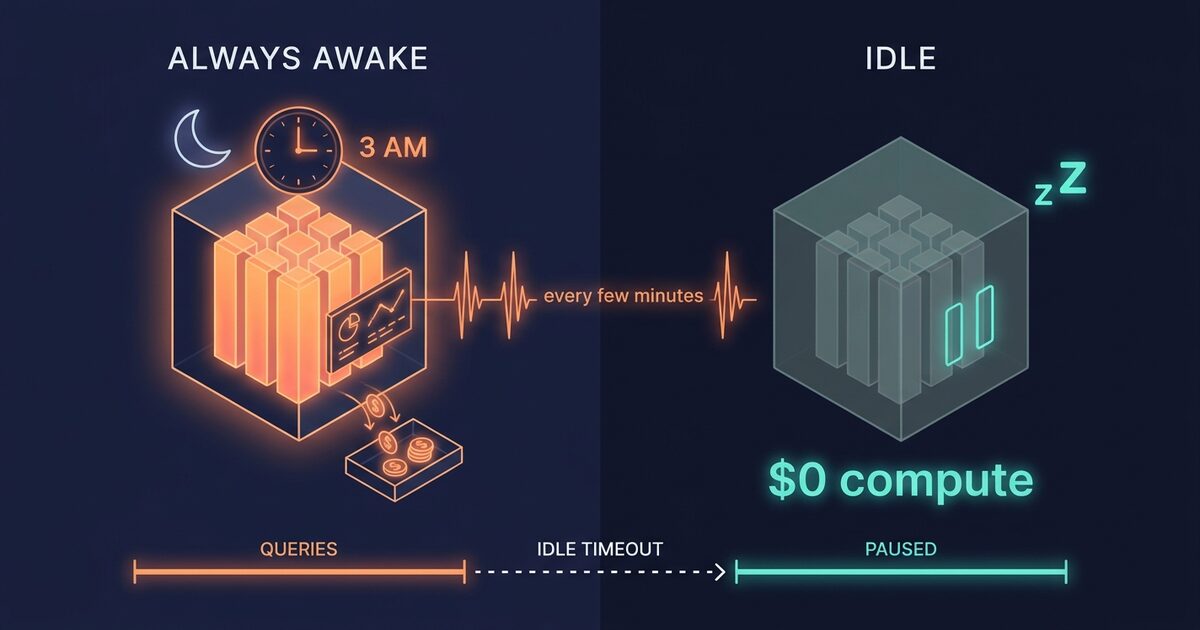
A ClickHouse Cloud service that never idles bills compute for all 732 hours in the month, and a two-replica, 16 GiB service at the Enterprise rate in AWS us-east-1 costs $1,142.80 a month that way. Queried only during a nine-hour workday, with idle scaling on and a 15-minute timeout, the same service bills about $317.70. Here is how to find the services that never pause, and why switching the setting on is often only half the fix.
Why an idle ClickHouse Cloud service stops billing compute
ClickHouse Cloud prices compute and storage separately. Compute is metered per minute and priced per compute-unit-hour, where one compute unit is 8 GiB of RAM and 2 vCPU. Storage bills continuously for the data you keep, whatever the compute is doing.
When a ClickHouse Cloud service idles, its compute drops to zero and compute billing stops. The idling docs state that storage and backups keep billing while the service is paused, and the next query wakes the service up.
The monthly compute bill follows a formula ClickHouse publishes on its pricing page:
compute per month = (RAM per replica in GiB / 8) × replicas × hours active × rate per compute-unit-hourThe rate depends on tier, cloud and region. In AWS us-east-1 the published Enterprise rate is $0.39030 per compute-unit-hour. Use the pricing calculator for your own tier and region. The ratios below hold at any rate.
Take a service with two replicas at 16 GiB each. That is four compute units, or $1.5612 an hour.
| How the service runs | Active hours a month | Compute a month |
|---|---|---|
| Idle scaling off, or something queries it all night | 732 | $1,142.80 |
| Idle scaling on, 60-minute timeout | 220 | $343.46 |
| Idle scaling on, 15-minute timeout | 203.5 | $317.70 |
The bottom two rows assume 22 working days with queries arriving from 9:00 to 18:00 and silence otherwise. Each night the service stays warm for one timeout after the last query, then pauses until morning. Shortening the timeout from 60 to 15 minutes is worth $25.76 a month here, while switching idling on at all is worth $799.34. Get the first decision right before you tune the second. A workload with long gaps during the day as well gets more from a short timeout, because every gap longer than the timeout becomes another pause. These figures are calculated from the published rate, so check them against your own usageCost output.
The API reports idleScaling as true by default on a new service. A service with it off is one somebody switched off, often during a migration or a load test, and nobody switched back on.
The pattern of paying for capacity while nothing runs shows up across data platforms. It is the same arithmetic as a Snowflake warehouse with a slow AUTO_SUSPEND and a Cloud Run service pinned to minimum instances.
What keeps a ClickHouse Cloud service awake
Turning on idle scaling lets a ClickHouse Cloud service pause, and it pauses only after the idle timeout passes with no user-submitted queries. Dashboards, uptime checks and scanners reset that timer, so a service can show idle scaling on and still bill every hour.
A Grafana panel set to refresh every five minutes, a BI tool polling for schema changes, an uptime check that runs SELECT 1, and an ETL scheduler that probes the connection before deciding there is nothing to do will each hold a service with a 15-minute timeout awake around the clock. Each of those services bills like the top row of the table.
The internet can do it too. ClickHouse warns in the idling docs that the default "Allow from anywhere" IP access list lets crawlers and scanners wake an idle service, which it calls a source of unexpected costs. Restricting the access list to your own networks is a cost control as well as a security one.
The service's own state can also delay a pause. Under ClickHouse's adaptive idling rules, a service with more active parts than the threshold (10,000 by default) does not idle, and a service with merges in progress waits for them to finish. A service that takes long to start gets a longer effective timeout regardless of your setting: 15 minutes if startup takes 15 to 30 minutes, 30 if it takes 30 to 60, and an hour beyond that.
Pausing also stops background work. While a service is idle, refreshable materialized views stop refreshing, S3Queue tables stop consuming, and no new merges are scheduled. If a pipeline depends on any of those running overnight, idling breaks it quietly, and that service should stay up.
ClickHouse Cloud Gen 2 services cannot idle at all. The ClickHouse Cloud OpenAPI spec states that Gen 2 (v2-default profile) services "use a fixed size and cannot idle", and that idleScaling cannot be true on one. A request that turns idling on for a Gen 2 service is rejected.
For those services the lever is size. The API's scalingSchedule endpoint can run a smaller fixed configuration in a time window (each Gen 2 entry needs equal minimum and maximum memory, a fixed replica count, and idling off), and it needs the scheduled autoscaling feature enabled for your organization. A profile change cannot move a service between Gen 1 and Gen 2 either, so check profile before you plan anything.
Find your always-on services by hand
Everything here uses the ClickHouse Cloud API with an organization API key over HTTP Basic auth. Reading services and costs works with a Developer key. Use an Admin key for the scaling changes further down.
export CH_KEY_ID="your-key-id"
export CH_KEY_SECRET="your-key-secret"
export CH_ORG_ID=$(curl -s -u "$CH_KEY_ID:$CH_KEY_SECRET" \
  https://api.clickhouse.cloud/v1/organizations | jq -r '.result[0].id')
List every service with the fields that decide whether it can pause.
curl -s -u "$CH_KEY_ID:$CH_KEY_SECRET" \
  "https://api.clickhouse.cloud/v1/organizations/$CH_ORG_ID/services" |
  jq -r '.result[] | [.name, .id, .state, .profile, .idleScaling,
         .idleTimeoutMinutes, .numReplicas, .maxReplicaMemoryGb] | @tsv' |
  column -t
Three kinds of row matter. A running service with idleScaling set to false on a Gen 1 profile is the main candidate. A service with idling on and an idleTimeoutMinutes above 60 stays warm for an hour or more after every burst. A v2-default service will always show idling off, and it belongs on the scaling-schedule list instead.
Then put a dollar figure on each one. The usageCost endpoint returns billed cost per entity per day in ClickHouse Credits, where one credit is one US dollar. A single request covers up to 31 days.
curl -s -u "$CH_KEY_ID:$CH_KEY_SECRET" \
  "https://api.clickhouse.cloud/v1/organizations/$CH_ORG_ID/usageCost?from_date=2026-10-08&to_date=2026-11-07" |
  jq -r '[.result.costs[] | select(.entityType == "service")]
         | group_by(.entityName)
         | map({service: .[0].entityName,
                compute: (map(.metrics.computeCHC // 0) | add)})
         | sort_by(-.compute)[]
         | "\(.service)\t\(.compute | floor)"'
Divide a service's compute by its hourly rate at its usual size and you get roughly the hours it actually ran. A figure close to 744 for a 31-day window means the service never paused, whatever its settings say.
For a service that has idling on and still bills every hour, find who is querying it overnight. Run this on the service itself. The query wakes the service, so pick a time when it is already up.
SELECT
  user,
  client_name,
  http_user_agent,
  count() AS queries,
  min(event_time) AS first_seen,
  max(event_time) AS last_seen
FROM clusterAllReplicas('default', system.query_log)
WHERE event_date >= today() - 7
  AND type = 'QueryStart'
  AND is_initial_query = 1
  AND (toHour(event_time) < 7 OR toHour(event_time) >= 20)
GROUP BY user, client_name, http_user_agent
ORDER BY queries DESC
LIMIT 20;
event_time is in the server time zone, which is UTC on ClickHouse Cloud, so shift the hour window to your own night. A dashboard user with a few hundred queries a night is your culprit. Move that dashboard's refresh to manual outside working hours, point it at a separate service, or accept that this service stays up.
Turn on idle scaling with no downtime
The scaling endpoint updates a running service in place. The visible change is that the first query after a pause has to wait for the service to wake, so check that the client on the other end retries.
Turn idling on and set a timeout with the replicaScaling endpoint. The timeout must be at least five minutes.
export CH_SERVICE_ID="your-service-id"

curl -s -u "$CH_KEY_ID:$CH_KEY_SECRET" -X PATCH \
  -H "Content-Type: application/json" \
  "https://api.clickhouse.cloud/v1/organizations/$CH_ORG_ID/services/$CH_SERVICE_ID/replicaScaling" \
  -d '{"idleScaling": true, "idleTimeoutMinutes": 15}' |
  jq '.result | {name, idleScaling, idleTimeoutMinutes}'
If Terraform manages the service, make the change there instead, or the next apply reverts it. The ClickHouse provider's clickhouse_service resource carries the same two settings, and idle_timeout_minutes must be set whenever idle_scaling is true.
resource "clickhouse_service" "analytics" {
  # ...
  idle_scaling         = true
  idle_timeout_minutes = 15
}
Before you rely on it in production, test a cold start. Wait for the service to show idle, then run the query your application runs first and time it. If the client gives up before the service answers, raise the client's connect timeout and add a retry, or keep that service always on.
Rollback is the same call with the old values.
curl -s -u "$CH_KEY_ID:$CH_KEY_SECRET" -X PATCH \
  -H "Content-Type: application/json" \
  "https://api.clickhouse.cloud/v1/organizations/$CH_ORG_ID/services/$CH_SERVICE_ID/replicaScaling" \
  -d '{"idleScaling": false}'
Wait a few days, then re-run the usageCost query over the days since the change. Compute hours for that service should now track your working hours. If they still sit near 24 a day, go back to the query_log query, because something is waking it.
A quick decision tree
graph TD
  A[Service bills compute every hour] --> B{profile is v2-default?}
  B -- Yes --> C[Gen 2 cannot idle: use a scaling schedule to shrink off-hours]
  B -- No --> D{Needs refreshable MVs or S3Queue overnight?}
  D -- Yes --> E[Keep it always on]
  D -- No --> F{Customer-facing and latency-sensitive?}
  F -- Yes --> E
  F -- No --> G{idleScaling true?}
  G -- No --> H[PATCH idleScaling true with a 15-minute timeout]
  G -- Yes --> I{idleTimeoutMinutes above 60?}
  I -- Yes --> J[Tighten the timeout to match the gaps in traffic]
  I -- No --> K[Check query_log for overnight queries and restrict the IP access list]
Related reading
- Snowflake AUTO_SUSPEND: stop paying for idle warehouses covers the same decision on Snowflake, where a 60-second billing minimum on every resume caps how far a short timeout can go.
- Databricks jobs compute lists 73% under all-purpose looks at scheduled work running on interactive clusters that stay up between jobs.
- Stop Terraform drift from reverting your right-sizing explains why a setting changed through the API comes back on the next apply when the code still says the old value.
Common questions
Does ClickHouse Cloud charge for an idle service?
ClickHouse Cloud does not charge compute while a service is idle. Storage and backups keep billing for the data the service holds. A service only reaches the idle state when idle scaling is enabled, its idle timeout has passed with no user-submitted queries, and no merges or adaptive idling conditions are holding it up.
What is the minimum idle timeout in ClickHouse Cloud?
The minimum idle timeout in ClickHouse Cloud is five minutes. The API rejects an idleTimeoutMinutes below 5, and the Terraform provider documents the same floor. A service with a slow startup can get a longer effective timeout than the one you set: 15, 30 or 60 minutes depending on how long it takes to initialize.
Why does my ClickHouse Cloud service never go idle?
A ClickHouse Cloud service never goes idle while something keeps sending it queries. Dashboards on auto-refresh, BI tools polling metadata, uptime checks, and internet scanners reaching an "Allow from anywhere" IP access list all reset the idle timer. Group system.query_log by user, client_name and http_user_agent for overnight hours to find the source. Large part counts and in-progress merges can also delay idling.
Can a Gen 2 ClickHouse Cloud service idle?
No. The ClickHouse Cloud API states that Gen 2 services, which use the v2-default profile, have a fixed size and cannot idle, and it rejects idleScaling: true on them. To cut their off-hours cost, use the scalingSchedule API to run a smaller fixed configuration outside working hours, once scheduled autoscaling is enabled for your organization.
What stops working while a ClickHouse Cloud service is idle?
While a ClickHouse Cloud service is idle, refreshable materialized views stop refreshing, S3Queue tables stop consuming, and new merges are not scheduled. Merges already running finish before the service idles. Keep idling off on any service whose pipelines need those to run continuously.
How OhChimp approaches this
OhChimp reads your ClickHouse Cloud services and the usageCost API through a read-only organization key. It flags running services with idle scaling off, services with idling on but no timeout, and timeouts above an hour, and it attaches the compute each one actually billed over the window. Each finding becomes a plan with the scaling change, its risk level and the rollback written out, and nothing changes until you click apply. OhChimp cannot yet measure what a single ClickHouse Cloud plan saves, so the saving stays an estimate. The ClickHouse Cloud integration page has the details of the connection.