OpenAI Batch API: 50% off work that can wait
Published · OhChimp Engineering
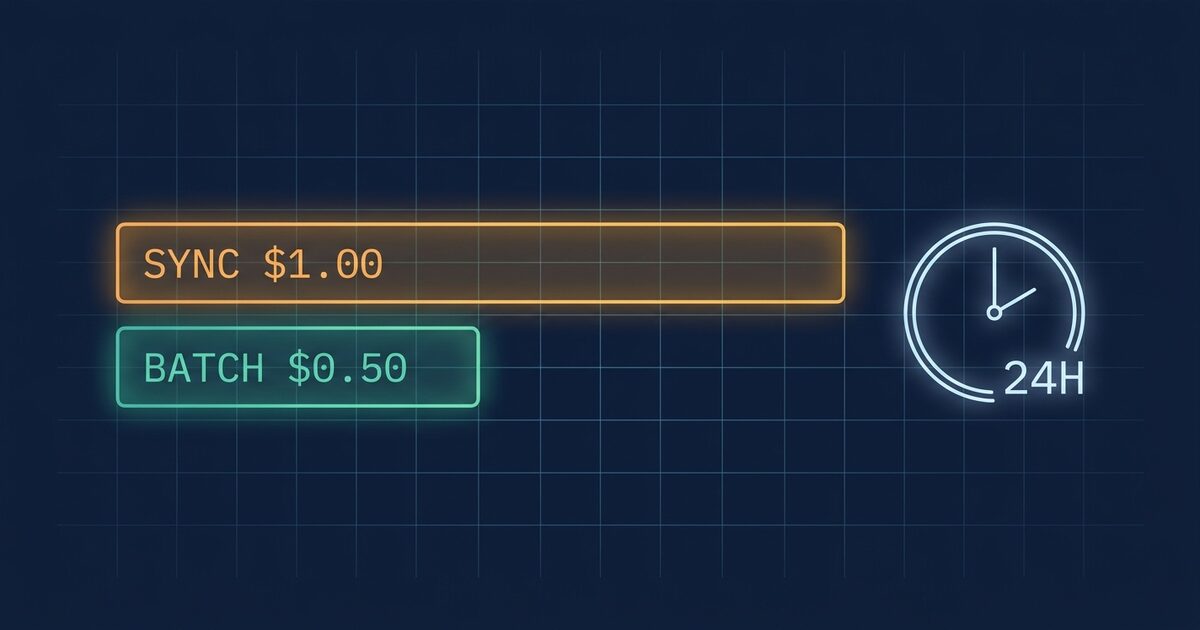
The OpenAI Batch API bills every input and output token at half the synchronous rate, in exchange for a promise to finish within 24 hours instead of right now. Nightly evals, embedding backfills and classification jobs rarely need an answer in under a second, yet most of them call the synchronous endpoint and pay double for a speed nobody reads.
Why the Batch API costs half
The Batch API takes a file of requests, queues them, and runs them when OpenAI has spare capacity. You give up latency, and OpenAI gets to schedule your work around its peaks. The Batch API guide prices that trade at a flat 50% discount against the synchronous APIs, on input and output alike.
Here is what the discount looks like on the current model lineup, per million tokens, from OpenAI's pricing page as checked on November 1, 2026:
| Model | Sync input | Sync cached input | Sync output | Batch input | Batch cached input | Batch output |
|---|---|---|---|---|---|---|
| gpt-6-astra | $10.00 | $1.00 | $50.00 | $5.00 | $0.50 | $25.00 |
| gpt-6.1-sol | $2.00 | $0.10 | $10.00 | $1.00 | $0.05 | $5.00 |
| gpt-6.1-terra | $1.00 | $0.05 | $5.00 | $0.50 | $0.025 | $2.50 |
| gpt-6-luna | $0.10 | $0.01 | $0.50 | $0.05 | $0.005 | $0.25 |
The cached-input column halves too, so a prompt that already hits the cache keeps that discount inside a batch and gets the batch discount on top. Anthropic's API works the same way, and its prompt caching write premium is worth checking before you assume a cache helps.
For example, say a nightly eval sends 10,000 prompts of about 3,000 tokens each to gpt-6.1-sol and gets about 300 tokens back per prompt. Over 30 nights that is 900 million input tokens and 90 million output tokens. Synchronously, the input bills $1,800 and the output $900, so $2,700 a month. Through the Batch API the same job bills $1,350, and the eval results land in the same dashboard the next morning.
The Batch API covers /v1/responses, /v1/chat/completions, /v1/embeddings, /v1/completions, /v1/moderations, /v1/images/generations and /v1/images/edits. One batch holds up to 50,000 requests in an input file of up to 200 MB, and every request in a file must target the same model. Batch traffic draws on its own rate limit, so moving a backfill there also frees up the per-model limit your live traffic depends on.
The 24-hour window stacks across pipeline stages
The 24-hour figure is a ceiling, and OpenAI makes no promise below it. Most batches finish much sooner. You should still design for the slow day, because a batch that does not finish in time moves to expired. OpenAI cancels the requests it has not run, writes each one to the batch's error file with the code batch_expired, and keeps the results it did finish in the output file. You are billed for the completed requests and nothing else, so an expired batch costs you time rather than money, as long as something notices the gap and resubmits the stragglers.
Chained batches add their 24-hour windows together. Take a pipeline that generates answers, then grades them with a second model, then summarizes the grades. Each stage needs the previous stage's output file before it can build its own input file, so three chained batches have a worst case of 72 hours. A pipeline with a daily deadline has room for one batch stage at most, and only if a late day is acceptable.
Results arrive out of order. The guide states that output lines may not match input line order, so anything that joins results by position will silently attach the wrong answer to the wrong prompt. Every request carries a custom_id you choose, and that is the only join key you should trust.
Large backfills hit two more limits: a per-model queue cap and a 30-day retention on results. Each model caps how many prompt tokens can sit queued for batch processing at once, and the cap is listed on your organization's limits page in the platform settings. A backfill bigger than that cap has to be split and submitted in waves. Output files are deleted automatically 30 days after the batch completes, so a job that writes results somewhere durable has to do it within that month.
Flex processing is the option for a job that cannot be rewritten into files. Set service_tier to flex on a normal synchronous request to the Responses or Chat Completions API and it bills at Batch API rates, with slower responses and the occasional 429 Resource Unavailable when capacity runs short. OpenAI does not charge for a request that gets the 429, and its Flex processing guide suggests raising the SDK timeout to 15 minutes. Flex is in beta and only some models support it, so check the pricing page for your model first.
Find your synchronous spend by hand
The organization Usage API reports token counts per model and splits them by the Batch flag. It needs an Admin API key (sk-admin-...), a separate credential from the project key your application uses. Pull the last 30 days, grouped by model, Batch flag and service tier:
START=$(( $(date +%s) - 30*86400 ))

curl -sG https://api.openai.com/v1/organization/usage/completions \
  -H "Authorization: Bearer $OPENAI_ADMIN_KEY" \
  --data-urlencode "start_time=$START" \
  --data-urlencode "bucket_width=1d" \
  --data-urlencode "limit=31" \
  --data-urlencode "group_by=model" \
  --data-urlencode "group_by=batch" \
  --data-urlencode "group_by=service_tier" \
  -o usage.json
A 1-day bucket width returns at most 31 buckets per page. If has_more is true, pass the next_page value back as page to keep going. Roll the buckets up per model and tier:
jq -r '
  [.data[].results[]]
  | group_by([.model, .batch, .service_tier])[]
  | {
      model:  .[0].model,
      batch:  .[0].batch,
      tier:   (.[0].service_tier // "default"),
      input:  (map(.input_tokens) | add),
      cached: (map(.input_cached_tokens) | add),
      output: (map(.output_tokens) | add),
      calls:  (map(.num_model_requests) | add)
    }
  | [.model, .batch, .tier, .input, .cached, .output, .calls]
  | @tsv
' usage.json | sort -t$'\t' -k4 -nr | column -t
Read the rows with batch set to false and a tier other than flex. Those tokens billed at the full synchronous rate. Price them with the table above: uncached input is input minus cached, so for gpt-6.1-sol a row's cost is (input - cached) × $2 + cached × $0.10 + output × $10, per million tokens. Half of that number is the most the Batch API can save on that model, and you only collect it on the share of traffic that can wait.
The usage report tells you which model, and you still need to know which service is calling it. Group the same query by key for the model at the top of the list:
curl -sG https://api.openai.com/v1/organization/usage/completions \
  -H "Authorization: Bearer $OPENAI_ADMIN_KEY" \
  --data-urlencode "start_time=$START" \
  --data-urlencode "bucket_width=1d" \
  --data-urlencode "limit=31" \
  --data-urlencode "models=gpt-6.1-sol" \
  --data-urlencode "batch=false" \
  --data-urlencode "group_by=api_key_id" \
  -o by-key.json

jq -r '[.data[].results[]] | group_by(.api_key_id)[]
  | [.[0].api_key_id, (map(.input_tokens) | add), (map(.num_model_requests) | add)]
  | @tsv' by-key.json | sort -t$'\t' -k2 -nr | column -t
A key whose calls arrive in a burst at 02:00 every night is a batch job running on a synchronous endpoint. Its traffic is the first candidate to move. Keys serving a chat window or an API your customers wait on stay where they are.
Move a job to the Batch API with no downtime
Run the batch path next to the synchronous one, compare the results, then switch. Nothing about the live path changes until the last step.
Build the input file. Each line is one request, with the same body you send today plus a custom_id and the endpoint:
{
  "custom_id": "eval-000001",
  "method": "POST",
  "url": "/v1/chat/completions",
  "body": {
    "model": "gpt-6.1-sol",
    "messages": [{ "role": "user", "content": "Grade this answer..." }],
    "max_tokens": 400
  }
}
If your job already reads prompts from a JSONL file with an id and a text field, jq writes the batch file in one pass:
jq -c '{
  custom_id: .id,
  method: "POST",
  url: "/v1/chat/completions",
  body: {
    model: "gpt-6.1-sol",
    messages: [{role: "user", content: .text}],
    max_tokens: 400
  }
}' prompts.jsonl > batch-input.jsonl
Upload it with purpose set to batch, then create the batch with the 24-hour window, which is the only value the API accepts today:
FILE_ID=$(curl -s https://api.openai.com/v1/files \
  -H "Authorization: Bearer $OPENAI_API_KEY" \
  -F purpose="batch" \
  -F file="@batch-input.jsonl" | jq -r .id)

BATCH_ID=$(curl -s https://api.openai.com/v1/batches \
  -H "Authorization: Bearer $OPENAI_API_KEY" \
  -H "Content-Type: application/json" \
  -d "{\"input_file_id\": \"$FILE_ID\", \"endpoint\": \"/v1/chat/completions\", \"completion_window\": \"24h\"}" \
  | jq -r .id)
echo "$BATCH_ID"
Poll the batch until its status is completed, expired, failed or cancelled:
curl -s "https://api.openai.com/v1/batches/$BATCH_ID" \
  -H "Authorization: Bearer $OPENAI_API_KEY" \
  | jq '{status, request_counts, output_file_id, error_file_id}'
Download the output and the error file, and join results back to prompts on custom_id:
BATCH=$(curl -s "https://api.openai.com/v1/batches/$BATCH_ID" \
  -H "Authorization: Bearer $OPENAI_API_KEY")

curl -s "https://api.openai.com/v1/files/$(jq -r .output_file_id <<<"$BATCH")/content" \
  -H "Authorization: Bearer $OPENAI_API_KEY" > batch-output.jsonl

ERR=$(jq -r '.error_file_id // empty' <<<"$BATCH")
[ -n "$ERR" ] && curl -s "https://api.openai.com/v1/files/$ERR/content" \
  -H "Authorization: Bearer $OPENAI_API_KEY" > batch-errors.jsonl
Resubmit whatever expired. Pull the custom_id of every batch_expired line and filter the original input down to those requests:
jq -r 'select(.error.code == "batch_expired") | .custom_id' batch-errors.jsonl > expired-ids.txt

jq -c --rawfile ids expired-ids.txt \
  'select(.custom_id as $id | ($ids | split("\n") | index($id)))' \
  batch-input.jsonl > batch-retry.jsonl
For the first week, run both paths on the same prompts and diff the outputs by custom_id. The model and the request body are the same, so differences should sit inside the normal run-to-run variance of the model. Once they do, turn off the synchronous run.
To roll back, cancel any batch still in flight and point the job at the synchronous endpoint again:
curl -s -X POST "https://api.openai.com/v1/batches/$BATCH_ID/cancel" \
  -H "Authorization: Bearer $OPENAI_API_KEY" \
  -H "Content-Type: application/json"
The batch moves through cancelling to cancelled, and requests that finished before the cancel stay in the output file and bill at the batch rate. The synchronous path never went away, so rolling back takes one config change.
A quick decision tree
graph TD
  A[Synchronous OpenAI traffic] --> B{Does a user or caller wait on the response?}
  B -- Yes --> C[Keep it synchronous: look at prompt caching or a cheaper model instead]
  B -- No --> D{Can every stage wait up to 24 hours?}
  D -- Yes --> E{Can the job write a JSONL file and read results back by custom_id?}
  E -- Yes --> F[Batch API: 50% off, separate rate limit]
  E -- No --> G{Does your model support Flex?}
  D -- No --> G
  G -- Yes --> H[service_tier flex: Batch rates, retry on 429]
  G -- No --> C
If no caller waits on the answer and every stage can take a day, use the Batch API. If the job can wait but cannot be rewritten into files, use Flex on a model that supports it. If a person or a service waits on the response, keep it synchronous and look at caching or a cheaper model instead. Reserved capacity is the opposite trade, and provisioned throughput bills even when idle.
Common questions
How much does the OpenAI Batch API save?
50% of the synchronous token price, on both input and output tokens. On gpt-6.1-sol that takes input from $2.00 to $1.00 per million tokens and output from $10.00 to $5.00. The cached-input rate halves as well, from $0.10 to $0.05.
How long does an OpenAI batch take to finish?
An OpenAI batch finishes within 24 hours at most, which is the only completion window the API accepts. Many batches finish well inside that, and OpenAI guarantees nothing shorter. Plan the downstream schedule around the full day, and around one full day per stage if batches feed each other.
Am I charged for requests in an expired batch?
Only for the requests that completed. Requests that did not run before the window closed are cancelled, written to the error file with the code batch_expired, and not billed. Resubmit them in a new batch using their custom_id.
Does prompt caching work with the Batch API?
Yes, prompt caching works inside a batch. OpenAI's pricing page lists a separate Batch cached-input rate at half the synchronous cached-input rate, so a prompt prefix that hits the cache gets both discounts.
What is the difference between the Batch API and Flex processing?
Both bill at the Batch API rate. The Batch API takes a file of requests and returns a file of results within 24 hours. Flex is a normal synchronous request with service_tier set to flex. It responds more slowly, returns a 429 Resource Unavailable when capacity runs out (that request is free), and is limited to the Responses and Chat Completions APIs on supported models.
Does the Batch API count against my rate limits?
Batch requests do not consume your standard per-model rate limits. Each model has its own cap on how many prompt tokens can sit queued for batch processing, which you can see on the limits page of your organization settings.
Why do my batch results come back in the wrong order?
The output file does not preserve input order. Every input line carries a custom_id that you choose, and the matching output line carries the same value, so join on custom_id and never on line number.
How OhChimp approaches this
OhChimp reads your organization's Usage API with a read-only Admin API key, splits each model's tokens into synchronous and Batch traffic, and prices both at that model's rates so the most expensive model sits at the top. Models carrying material synchronous spend come back as a plan to route their latency-tolerant share through /v1/batches, with a confidence score, a risk level and rollback steps, and nothing moves until you press apply. The saving it shows is an upper bound of half that synchronous spend, it cross-checks the token math against the Costs API, and it stays an estimate because OhChimp cannot yet measure what a single OpenAI plan saves. The OpenAI integration page lists the other levers it checks, from prompt caching to frontier models doing standard-tier work.